9/28/2026, 5:29:11 PM
How to Manage Orders and Inventory in Your Online Store

A practical workflow for keeping product quantities, order statuses, fulfilment and returns organised in an online store.
When orders arrive through several channels and stock is updated manually, it becomes easy to sell an unavailable product or lose track of a customer request. A reliable operation starts with one workflow connecting product data, order status and available quantity.
Create one source of truth for products
Keep each product’s name, images, price, options and available quantity in one catalogue. Use clear variant names such as colour and size, and avoid near-duplicate product records that are difficult for the team to distinguish. To prepare that reference, work through the example of organising sizes, colours and stock before entering your options into the store.
Decide exactly when stock changes
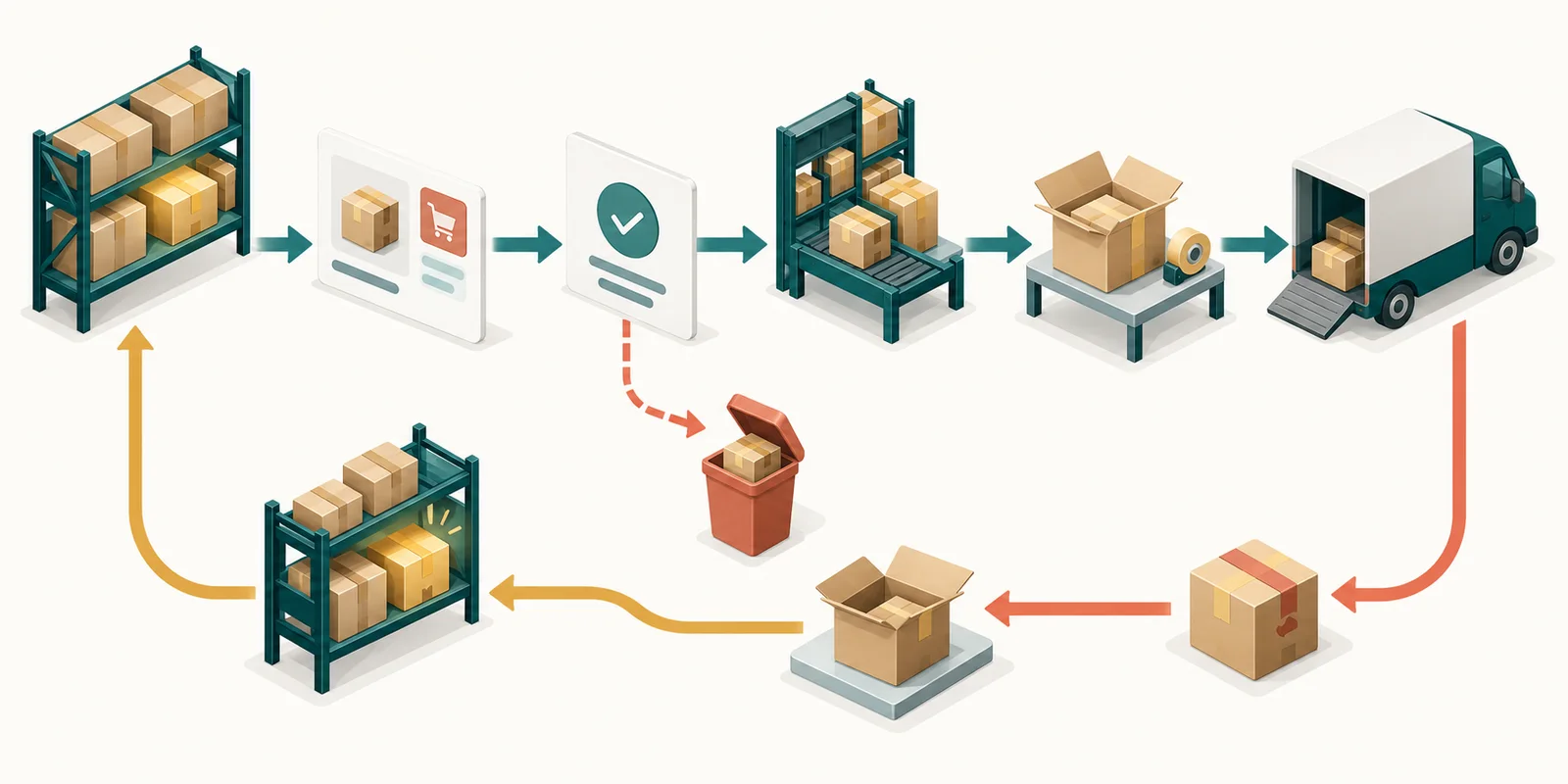
Choose a consistent point for reducing stock: when an order is confirmed, when it is prepared, or according to the system you use. Define what happens after cancellation or return so the available quantity does not remain inaccurate.
Give every order a clear status
Use statuses the whole team understands, such as new, awaiting confirmation, preparing, dispatched, delivered or cancelled. A visible current status prevents duplicate work and makes customer updates faster.
Assign responsibilities
Decide who reviews orders, prepares them, contacts the customer and coordinates delivery. Even in a small team, clear ownership reduces missed requests and makes delays easier to identify.
Review exceptions regularly
Watch for products with repeated stock differences, orders that stop without an update and questions customers ask again and again. Use these patterns to improve product descriptions, confirmation steps and fulfilment.
Bring management into one clear view
Explore Tajerly’s product and order management features. Start with one product category and test the full order journey before moving the rest of the catalogue. If you are new to online selling, read the practical guide for Syrian merchants.
If you are comparing tools, use the e-commerce platform selection checklist to test support for catalogue, orders and stock.